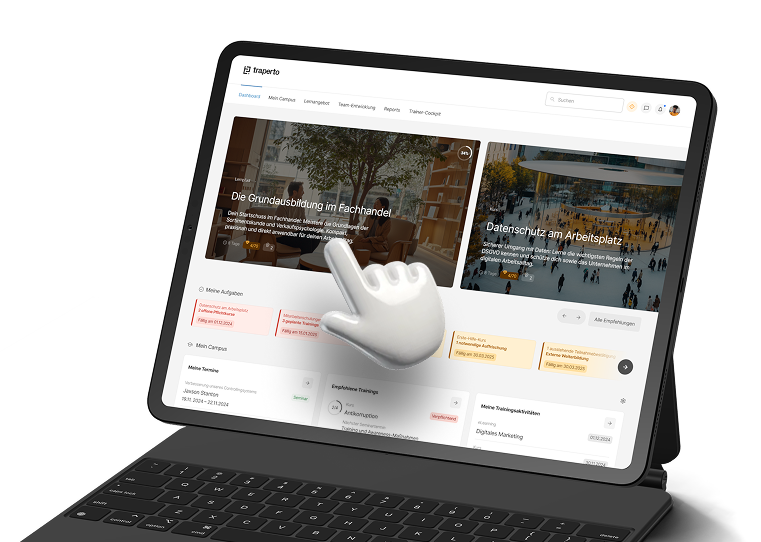
Authoring Tool
Create your own e-training courses, customize them flexibly, and convert them into professional digital learning formats.
Get from the initial idea to the finished e-training course faster.
The Authoring Tool, an extension of the Campus LMS , simplifies the in-house creation of digital learning content and allows new training needs to be addressed more quickly. Without requiring technical expertise, you can create interactive, brand-compliant, and responsive e-training courses that can be easily tailored to your requirements. This transforms topics, knowledge, and ideas into professionally produced learning formats—with shorter approval processes, greater consistency, and more flexibility in delivery.
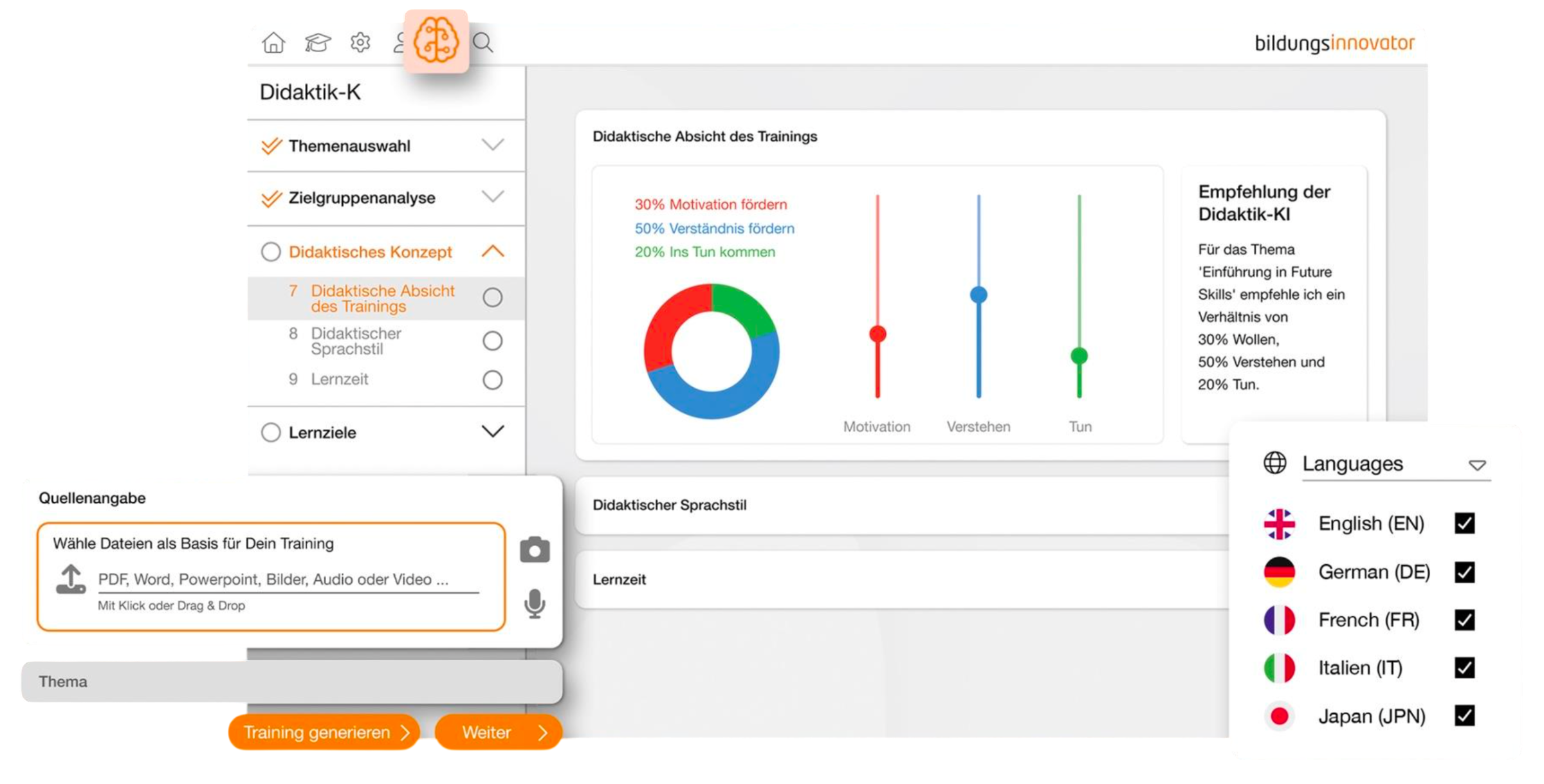
Easy to create without technical expertiseTurn expert knowledge into learning content that can be put to use quickly.
The authoring tool makes the creation of digital learning content accessible even to academic departments and content managers. Content can be created, edited, and implemented directly within the tool. AI-powered features can help users create and revise text, images, quiz elements, and translations more quickly. This reduces reliance on specialized technical roles, keeps the learning curve manageable, and gets new content into the system faster.
-
Intuitive operation without in-depth technical knowledge
Quick Onboarding
Create, edit, and publish content yourself
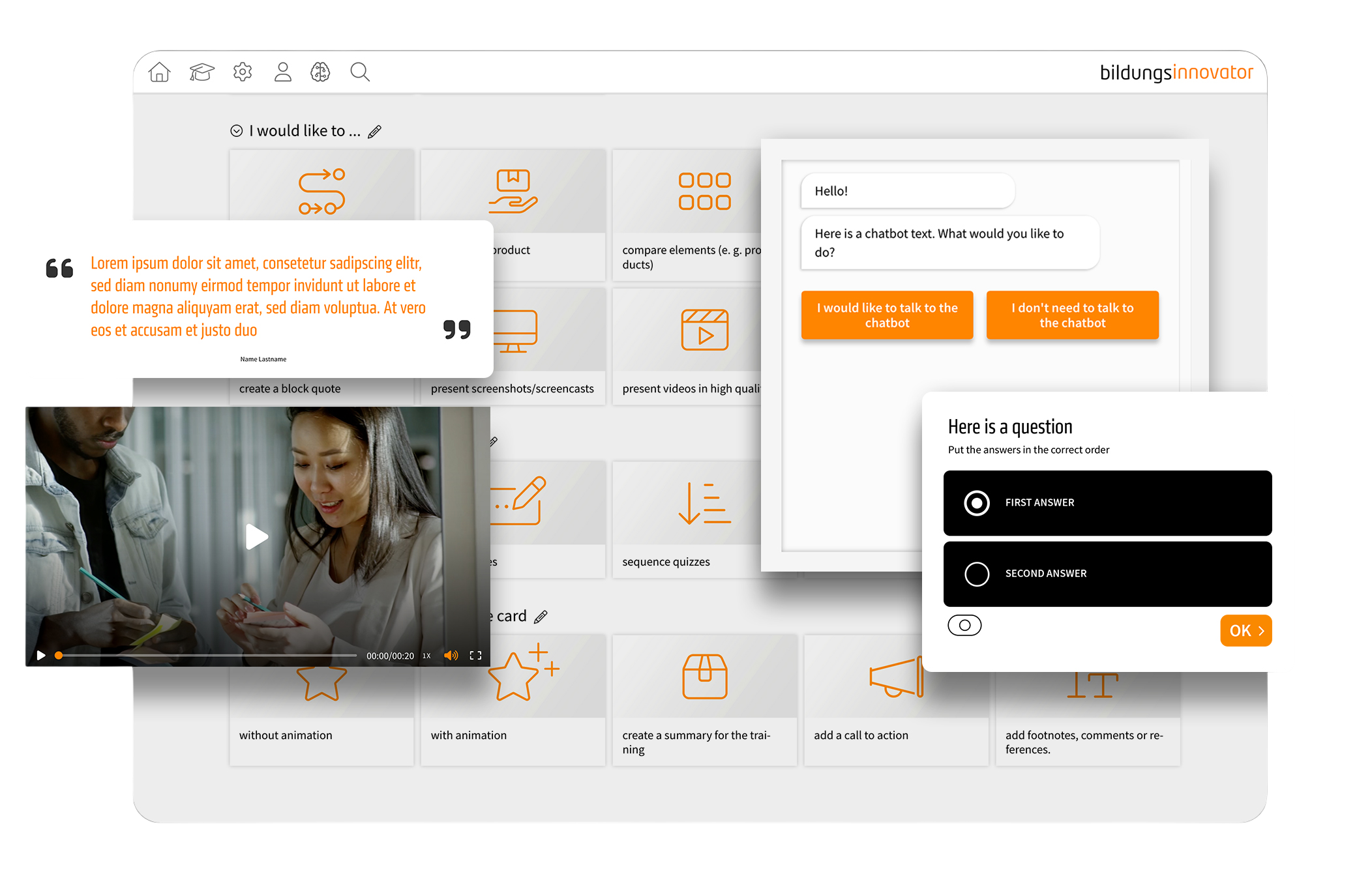
Interactive and brand-aligned learning formatsCreate digital learning content that aligns with the brand and engages users.
The authoring tool combines content and quiz components with template logic that can be customized to match your company’s corporate identity. This results in learning formats that are not only functionally structured but also visually appealing, helping to better hold the target audience’s attention. Interactive elements, brand-consistent design, and a modern look and feel ensure that content is perceived as professional and part of a cohesive learning experience.
-
Alignment with the company's corporate identity
Content and Quiz Components
Engaging Formats & Motivating Interactions
Brand-Compliant Templates
Modern Look and Feel

Excellent responsiveness and technical interface integrationFlexibly deliver and integrate learning content, and make it available in various usage contexts.
The authoring tool ensures that content is not only well-designed but also implemented in a way that is technically compatible. Learning formats can be used responsively across different devices, integrated into existing learning environments, and delivered seamlessly to different target audiences or in different languages. This results in content that remains flexible and integrates into existing structures without any disruption.
-
Live Preview While Editing
Quick Content Customization
Changes are visible immediately
Shorter iteration cycles & more efficient coordination
Faster Approval Processes & Quality Assurance
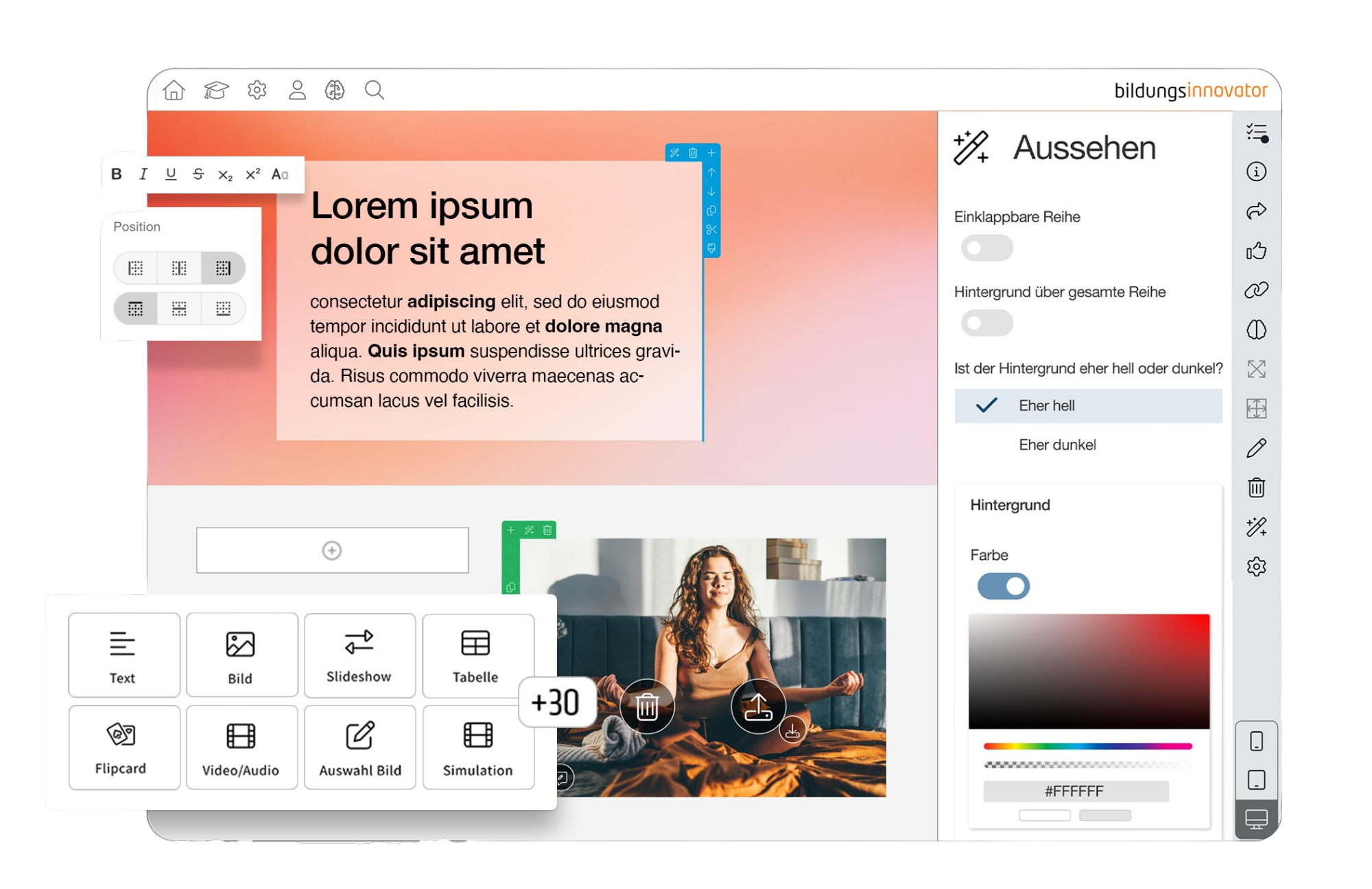
Quick Editing with Live PreviewReview and refine content as it's being created, and get it published faster.
Live previews during editing shorten the iteration cycle and make changes visible immediately. This allows for more precise content refinement, faster quality checks, and more efficient preparation for approval. This speeds up the production process and helps bring new learning content live in a controlled manner without unnecessary delays.
-
Responsive Formats for All Devices
SCORM Support
LTI Support
Clear Localization
Simple User Management
LXT Authoring Tool as a supplement to the Campus LMS
With the LXT authoring tool from Bildungsinnovator , traperto relies on a proven solution for modern digital learning content. Didactically effective and customizable training modules, AI-powered features, and a quick start following brief onboarding create a strong foundation for companies with regular content needs.
AI Features for Even More Power
Used by 6,000 L&D professionals at over 400 companies
Works perfectly with the traperto Campus LMS
Industries & Clients
Vodafone, Deichmann, Motel One , and many more: Put your trust in the experience of market leaders who have been using the traperto Campus LMS for years and value our partnership as equals.
-
![Michael Domhan, Expert in Sales Tools & Processes at Vodafone.]()
Vodafone
"For more than 10 years, traperto has been our trusted LMS provider for the retail sector. Our partnership is based on trust and reliability. The requirements we specify always result in meaningful and effective product innovations. traperto thinks proactively and is always solution-oriented."
Michael Domhan
Expert in Sales Tools & Processes -
![Kerstin Winkelmann, Head of Human Relations at Motel One.]()
Motel One
"Even six years after we began working with traperto, our collaboration remains respectful and forward-looking. We value the solution-oriented approach and the conceptual exchange with the entire traperto team, and we can say, just as we did at the beginning: Our collaboration with traperto is a partnership among equals."
Kerstin Winkelmann
Head of Human Relations -
![Felix Rüger, Digital Learning Specialist at Oldenburgische Landesbank.]()
Oldenburgische Landesbank
"Not an off-the-shelf system: Despite standardized processes, additional customization options and interfaces are a key factor in our ability to keep pace with evolving challenges. The system is well-designed and features a modern, intuitive interface."Felix Rüger
Digital Learning Specialist -
![Markus Metzger, Store Operations Manager at Vodafone.]()
Vodafone
"A flexible tool that's perfectly tailored to our needs—very intuitive to use, high-performing, and reliable. The implementation went smoothly, and our collaboration has always been pleasant and very professional."
Markus Metzger
Store Operations Manager -
![Gregor Lieber, HR Developer at VRM.]()
VRM
"Very intuitive to use and easy to manage: The traperto LMS enables us to manage and coordinate our training portfolio across various formats. Approval processes tailored specifically to our company facilitate the targeted rollout of all initiatives."
Gregor Lieber
Human Resources Developer -
![Lena Meisel, Human Resources Development Specialist at Kraftanlagen.]()
Kraftanlagen
"The traperto Campus offers intuitive and easy-to-use functionality for all user groups. Thanks to various customization options, it is tailored to our needs, provides transparency across all learning processes, and is widely accepted by all users. Our collaboration with traperto is always reliable, prompt, and solution-oriented."
Lena Meisel
Human Resources Development Specialist -
![Leonie Marka, Director of Learning Experience at Motel One Group.]()
Motel One Group
"The support is highly customized and personal. Through collaborative workshops, we were able to influence the standard software and help shape its direction. The software's ongoing development has led to a high level of acceptance among our target groups."
Leonie Marka
Director of Learning Experience -
![Nina S., Human Resources Development Specialist at a financial services company.]()
Financial Service Company
"The support provided by traperto's project manager is comprehensive, personalized, and consistently of the highest quality. The support team's response and resolution times are outstanding. Our collaboration always takes place in a pleasant atmosphere, on an equal footing, and with the goal of finding the best possible solution."
Nina S.
Human Resources Development Specialist -
![Julia Stein, Head of Talent Development Management & Learning at KiK.]()
KiK
"Our international corporate structure requires an LMS that greatly simplifies the complexity of the training business and offers the necessary flexibility. With traperto Campus, we can roll out a wide variety of languages and efficiently manage our employee development across locations and countries."
Julia Stein
Head of Talent Development, Management & Learning









FAQ
-
The LXT Authoring Tool is a solution for creating interactive digital learning content and e-training courses.
As an extension of the Campus LMS , it enables companies to independently convert their knowledge into professional learning formats. Content can be created without technical expertise, flexibly customized, and made available directly to different target audiences.
-
The authoring tool is particularly well-suited for companies that regularly create their own digital learning content or want to update existing e-training courses.
Departmental units and content managers can identify new training needs more quickly and implement content on their own. This shortens coordination processes and reduces dependence on specialized technical roles or external production processes.
-
The authoring tool can be used to develop interactive and pedagogically structured e-training courses for a variety of learning objectives.
Text, images, videos, quiz questions, and other content components can be combined to create a variety of learning formats. Engaging interactions help to involve learners and convey knowledge in a way that is easy to understand and relevant to real-world applications.
-
Digital learning content can be customized using the authoring tool to align with your company's corporate identity.
Company-specific templates, colors, and design elements ensure a consistent look and feel. As a result, the e-training courses created blend visually into the existing learning environment and the overall brand communication.
-
AI-powered features help create and revise digital learning content more quickly.
Among other things, you can provide support with text, images, quiz elements, and translations. The responsibility for content and pedagogical review remains with the relevant content managers, while recurring tasks can be handled more efficiently.
-
The LXT Authoring Tool is seamlessly integrated into the traperto Campus LMS .
Created learning content can be transferred to the existing learning environment without unnecessary system changes or media discontinuities and delivered there in a way tailored to the target audience. In this way, Content Creation, publication, and use are seamlessly integrated within a consistent learning experience.
-
With the authoring tool, content managers can create digital learning content on their own after just a brief introduction.
Intuitive WYSIWYG editing, an extensive component library, and a live preview make it easy to get started. This allows you to create, customize, and publish content more quickly—without any technical expertise.
-
Even when using the LXT Authoring Tool, traperto remains your primary contractual partner.
Through its long-standing partnership with Bildungsinnovator , traperto combines its own expertise in learning management systems with an established authoring solution. You’ll receive a tailored, comprehensive solution, seamless technical integration, and a single point of contact—all without having to coordinate different providers on your own.

Book a demo
Experience the Campus LMS firsthand and find out which of our solutions and services best meet your needs.